AI Agent & Copilot
  • Home
  • Exclusives
  • Podcast
  • Microsoft Analysis
  • Reports
  • Events
    • 2026 Event
    • Event Videos
  • Tech Analysts
  • Summit NA
  • Partner Executive Summit
  • AI Agent & Copilot Summit
AI Agent & Copilot
  • Exclusives
  • Podcast
  • Microsoft Analysis
  • Reports
  • Events
    • 2026 Event
    • Event Videos
  • Tech Analysts
  • Login / Join

    A confirmation code will be emailed when setting up your account or resetting your password—check spam if needed.no-reply@dynamicscommunities.com

AI Agent & Copilot
  • Login / Join

    A confirmation code will be emailed when setting up your account or resetting your password—check spam if needed.no-reply@dynamicscommunities.com

Home » Copilot 101: Working with Microsoft 365 Copilot
Copilot

Copilot 101: Working with Microsoft 365 Copilot

shawn dorwardBy shawn dorwardOctober 23, 2024Updated:September 29, 20252 Mins Read
Facebook Twitter LinkedIn Email
To adjust the volume hover the cursor over the volume bar
Share
Facebook Twitter LinkedIn Email

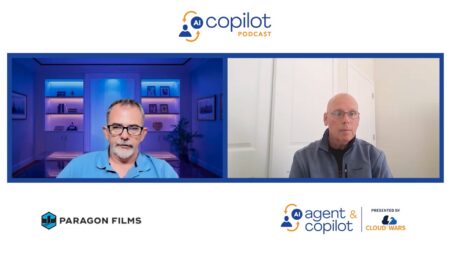
In this episode of the “Copilot 101 Podcast,” Shawn Dorward, Vice President, sa.global, UG Expert, discusses his journey with Microsoft 365 Copilot, focusing on Teams, Outlook, PowerPoint, and Excel.

Key Takeaways

  • Overview: Microsoft 365 Copilot costs $30 per month per user and offers evolving functionalities in Teams, PowerPoint, Excel, Word, and Outlook. While the Copilot for Excel has limitations, such as requiring data to be in tables, there is excitement about future improvements.
  • PowerPoint: Shawn notes that he finds PowerPoint particularly useful for creating summary presentations based on lengthy Word documents, as Copilot does a great job at providing a solid starting point. Additionally, the ability to incorporate relevant pictures and look at PDF documents makes it a valuable tool for his speaking engagements and daily responsibilities.
  • Outlook and Word: The new ability to use PDFs and the addition of speaker notes in slide decks make Microsoft 365 Copilot a valuable tool, regardless of its $30 monthly fee. Beyond Excel and PowerPoint, Copilot also offers significant benefits in Outlook and Word, such as creating and summarizing documents, and revising text to improve tone and professionalism.
  • Valuable ROI: Shawn explains that he often uses Copilot to refine document dialog, making points clearer and more succinct as needed. While $30 a month may seem high initially, the ROI is quickly realized by saving just an hour or two a week, allowing for more valuable business activities.
  • Time savings: Using Copilot in Outlook to summarize emails, identify action items, and suggest follow-ups is a valuable feature that justifies the monthly fee, as it saves significant time each week. While learning to use the tool initially felt time-consuming, the time saved in the long run makes it worthwhile.

Stream the audio version of this episode here:

AI Agent and Copilot Podcast
Share. Facebook Twitter LinkedIn Email
shawn dorward

Related Posts

AI Agent & Copilot Podcast: Georgia Tech Researcher Nandita Puri Explains the Future of AI-Generated Therapeutics

June 2, 2026

AI Agent & Copilot Podcast: MCP Empowers Agents to Take ERP Actions, Capture Human Knowledge

May 13, 2026

AI Agent & Copilot Podcast: AJ Ansari Lays Out Licensing Options for Agents Built in Copilot Studio

May 12, 2026

AI Agent & Copilot Podcast: Mauricio Duran on Moving AI From Experiments to Production Systems

April 30, 2026
Add A Comment

Leave A Reply Cancel Reply

You must be logged in to post a comment.

Community Summit NA 2026

Gaylord Opryland Resort
      Nashville, TN
October 11–15, 2026

The largest independent Microsoft AI & Business Applications User Conference on the planet. Four days of big ideas, education, training, networking and more to define your relevance in the AI era. Register Now

Recent Posts
  • Event Moment: AI Adoption Fails When Technology Outruns the Use Case
  • With Agent 365 Skills, Microsoft Accelerates Rollout of Governed Enterprise-Grade Agents
  • Enterprise AI Maturity Drives Expanded Microsoft-KPMG Collaboration
  • Microsoft Streamlines Device Procurement Process Then Injects AI for Better User Experiences
  • CIO Insight: How Microsoft WorkIQ Solves AI’s Corporate Knowledge Problem

  • Newsletter
  • Event Sessions
  • AI Reports
  • Exclusive Interviews

Join Today

Advertisement
AI Agent & Copilot
  • Home
  • Privacy Policy
  • Contact Us
  • AI Agent & Copilot Summit
© 2026 AI Agent and Copilot

Type above and press Enter to search. Press Esc to cancel.