AI Agent & Copilot
  • Home
  • Exclusives
  • Podcast
  • Microsoft Analysis
  • Reports
  • Events
    • 2026 Event
    • Event Videos
  • Tech Analysts
  • Summit NA
  • Partner Executive Summit
  • AI Agent & Copilot Summit
AI Agent & Copilot
  • Exclusives
  • Podcast
  • Microsoft Analysis
  • Reports
  • Events
    • 2026 Event
    • Event Videos
  • Tech Analysts
  • Login / Join

    A confirmation code will be emailed when setting up your account or resetting your password—check spam if needed.no-reply@dynamicscommunities.com

AI Agent & Copilot
  • Login / Join

    A confirmation code will be emailed when setting up your account or resetting your password—check spam if needed.no-reply@dynamicscommunities.com

Home » Extending Microsoft 365 Copilot: A Practical Guide to Declarative Agents
AI and Copilots

Extending Microsoft 365 Copilot: A Practical Guide to Declarative Agents

DSC AdminBy DSC AdminMarch 18, 2026Updated:April 29, 20261 Min Read
Facebook Twitter LinkedIn Email
Share
Facebook Twitter LinkedIn Email

Learn to build custom declarative agents for Microsoft 365 Copilot that help users accomplish specific tasks within your organization. This session provides practical guidance on creating and deploying agents that extend Copilot’s capabilities to meet your business needs.

What you’ll learn: Discover how to design and build declarative agents that enhance Copilot with specialized knowledge. We’ll cover defining agent instructions and personas, connecting to SharePoint sites and data sources, and configuring conversation starters. You’ll learn strategies for scoping agent knowledge, integrating actions and workflows to automate tasks, and ensuring agents understand your organization’s terminology and context. Real-world scenarios will inspire your upcoming projects.

  • Learning Objective 1: Design and configure declarative agents with custom instructions, personas, and conversation starters for specific business needs.
  • Learning Objective 2: Connect agents to SharePoint and organizational data sources using effective content scoping strategies.
  • Learning Objective 3: Making existing systems smarter by integrating declarative agents with their APIs.

Terms: All rights reserved by the speaker, AI Agent & Copilot Summit NA, and Dynamic Communities and cannot be reproduced or distributed without express written consent by the speaker and Dynamic Communities.

Speakers
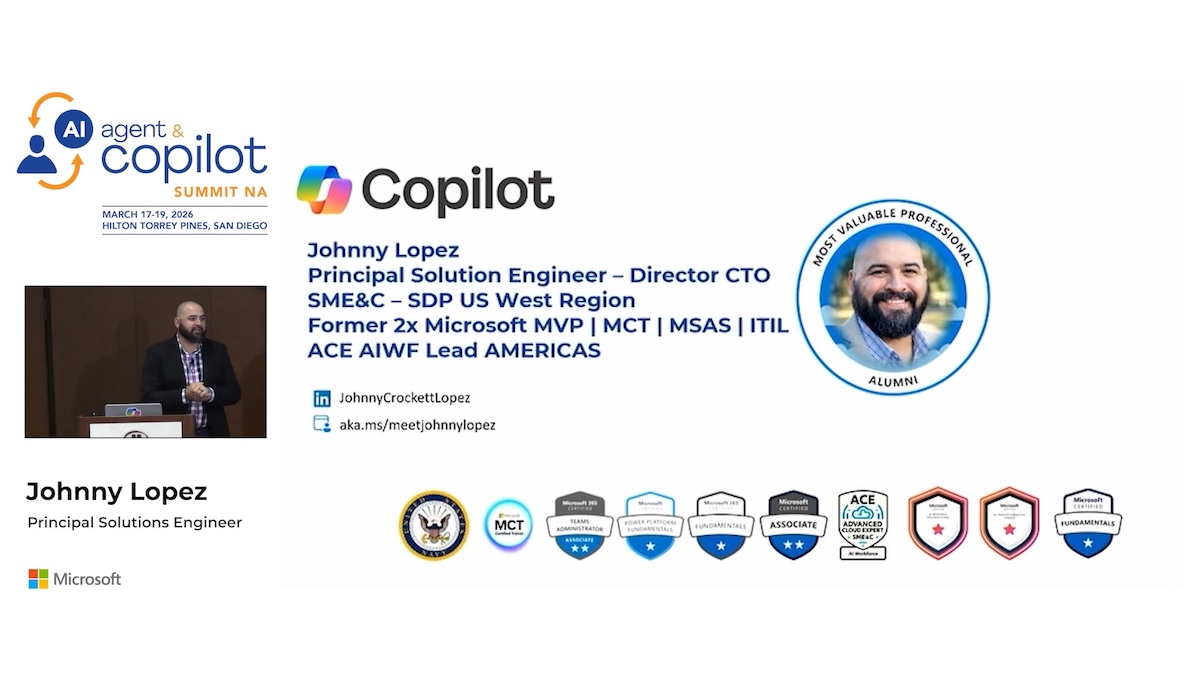
Johnny Lopez Technical Director, Principal Copilot Solutions Engineer in MW + Copilot, Microsoft

Join Today or Login to Access The Full Video
ai agent AI Copilot Summit NA copilot Masterclass MASTERCLASS: M365 & Work IQ Microsoft 365
Share. Facebook Twitter LinkedIn Email
DSC Admin
  • Website

Related Posts

Event Moment: AI Turns Competitive Weakness Into Strategic Opportunity

May 29, 2026

Microsoft Extends Purview With Visibility and Control of Anthropic Claude

May 29, 2026

Microsoft and EY Commit $1 Billion to Accelerate Enterprise AI Adoption

May 29, 2026

Microsoft Governance Tools Ensure AI Agents Play Within the Rules at Runtime

May 28, 2026
Add A Comment

Comments are closed.

Community Summit NA 2026

Gaylord Opryland Resort
      Nashville, TN
October 11–15, 2026

The largest independent Microsoft AI & Business Applications User Conference on the planet. Four days of big ideas, education, training, networking and more to define your relevance in the AI era. Register Now

Recent Posts
  • Event Moment: AI Turns Competitive Weakness Into Strategic Opportunity
  • Microsoft Extends Purview With Visibility and Control of Anthropic Claude
  • Microsoft and EY Commit $1 Billion to Accelerate Enterprise AI Adoption
  • Microsoft Governance Tools Ensure AI Agents Play Within the Rules at Runtime
  • Event Moment: James Oleinik on Work IQ as the Intelligence Layer Powering AI Work

  • Newsletter
  • Event Sessions
  • AI Reports
  • Exclusive Interviews

Join Today

Advertisement
AI Agent & Copilot
  • Home
  • Privacy Policy
  • Contact Us
  • AI Agent & Copilot Summit
© 2026 AI Agent and Copilot

Type above and press Enter to search. Press Esc to cancel.